Settings
 Fast Delivery
 Payment Types


 Marketplace Product

An Overview of M.2 Form Factors
With progressive miniaturization and ongoing demand for high-speed internal storage devices, M.2 interfaces have become increasingly common in recent years. However, the standard’s flexibility can make compatibility and form factor differences difficult to understand. This article provides an overview of the M.2 standard, common form factors, keying types, interfaces, electrical characteristics, and compatibility considerations.
What is M.2?
Even though most people encounter M.2 when shopping for internal SSDs, the interface is more flexible than it initially appears. The M.2 specification defines a compact connector for internal computer expansion cards and a matching socket. Compared to previous and competing connector types, it is not limited to a single use case, protocol, or hardware interface. Instead, its flexibility allows M.2 to interface with various devices, such as internal high-speed SSDs, Bluetooth modules, Wi-Fi adapters, and even custom embedded cards.
It was originally introduced in 2012 by the PCI-SIG (PCI Special Interest Group) to replace the older mSATA specification with a more flexible, smaller standard that supports multiple hardware interfaces, including PCI Express (PCIe), SATA, USB, and DisplayPort.
Common M.2 Form Factors, Sizes, and Keying
M.2 devices consist of a single PCB that may contain components on both sides. One end of the PCB contains the M.2 connector: a card-edge interface with exposed contacts, similar to those found in older game cartridges. The other end of a module contains a semicircular cutout for a mounting screw. Today, most M.2 devices, especially SSDs, use a narrow but long form factor, reminiscent of a gumstick. Shorter or wider variants are also common, especially for networking modules and custom OEM hardware.
 This image shows an example of an M.2 2280 SSD, highlighting the mounting hole, keying notch, M.2 connector, and how the module dimensions relate to the 2280 form factor designation.
Two main aspects influence the form factor of an M.2 device: its physical dimensions and the keying used on the edge connector. The physical size is typically given using a code of the form XXYY(Y), where XX denotes the module width in millimeters and YY(Y) represents the module length. For example, the code 2280 means that a module is 22 mm wide and 80 mm long.
Although the standard defines widths of 12, 16, 22, and 30 mm, 22 mm is by far the most common today, especially for SSDs. The specification also allows various module lengths, with 30, 42, 60, 80, and 110 mm being the most widely used. For an M.2 module to be physically compatible with a device, the device must have space to accommodate the module and a mounting point for securing it to the board.
 This image depicts an M.2 slot in a mainboard that accepts modules of varying lengths. Two of the mounting holes are highlighted.
Apart from the overall dimensions, the module's keying must be compatible with the connector keying on the host board. The M.2 edge connector contains grooves that prevent insertion into incompatible sockets or insertion in the wrong orientation. Each key further defines a set of allowed interfaces and signals for both the module and the socket. However, they only specify intended mechanical and electrical compatibility and do not guarantee support for specific features or protocols.
The standard defines 14 different keying types, grouped into three common socket types. However, only a few of them are used today, while most remain reserved for future use or custom applications. Depending on the key type, notches may be located on the left, right, or both sides of the edge connector. The notches are sized differently, which ensures that the module is not reversible and prevents insertion in the wrong orientation. Since different pins are missing based on the configuration, differently keyed M.2 modules support different interfaces, communication protocols, and lane configurations.
 This image illustrates different M.2 connector keying types.
The A-type key, for example, provides two PCIe x1 lanes, USB 2.0, I2C, and DisplayPort connectivity, while M-type connectors support SATA, PCIe x4, and SMBus, and are commonly used for high-performance SSDs. Therefore, the keying type often also reflects the intended purpose of the M.2 device. Networking cards commonly use A, E, or A+E keys, and SSDs typically use B, M, or B+M. In addition to the commonly used key IDs, socket types were historically used to group devices by their function. Socket 1 devices generally represent networking cards, Socket 2 devices are SSDs and storage devices, and Socket 3 devices are high-performance PCIe SSDs.
Electrical Characteristics and Protocols
The M.2 specification defines a double-sided edge connector with up to 75 pins, a 0.5 mm pitch, and slightly offset contacts on each side of the PCB. However, due to the keying notches, only up to 67 of these positions are typically populated with contacts. Each pin is rated for a maximum voltage of 50 V and a maximum current of 500 mA, although most consumer M.2 sockets only provide lower voltages around 3.3 V or 5 V.
The exact supply voltage is not the only characteristic that varies in real M.2 hardware. The specification defines the physical connector and module characteristics, while the communication protocol, supported interfaces, and available lane configurations depend on the host device and socket implementation. For example, an M-key socket on a PC mainboard physically accepts any M-key SSD, but one mainboard may provide four PCIe lanes with PCIe 5.0 support while another only exposes two PCIe 3.0 lanes, resulting in significantly different performance despite using the same connector and keying type.
Compatibility and Performance Pitfalls
In practice, most compatibility issues boil down to reduced performance, since PCIe and USB are backward compatible with older versions. This means, for example, that an NVMe SSD designed for PCIe 4.0 can still function in a PCIe 3.0 slot, but it will operate at PCIe 3.0 speeds. Similarly, a PCIe x4 device connected via two PCIe lanes can use only two lanes, it may function with reduced bandwidth.
Still, physical fit alone does not guarantee functionality or feature support. Devices may not function at all despite fitting into a socket. The keying notches only ensure that a module mechanically matches the socket. However, motherboard manufacturers may implement different protocols or leave certain lanes and interfaces unconnected.
A common example is a B+M-keyed SATA SSD, which physically fits into an M-key socket designed for PCIe NVMe devices. This means that, even though the SATA SSD fits into the mainboard socket, the drive cannot be recognized by the system. Therefore, it’s important to always consult the mainboard and device documentation to ensure protocol, feature, and performance compatibility.
Summary
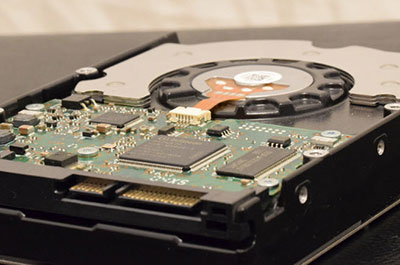
 This image shows various HDDs and two M.2 SSD modules.
M.2 was introduced as a flexible successor to mSATA and has since become one of the most common standards for internal expansion cards. Although it is most often associated with high-speed SSDs, it also supports networking cards, Bluetooth modules, and other expansion hardware. Its flexibility stems from the fact that M.2 primarily defines the physical connector and module format rather than a specific communication protocol.
Selecting an M.2 device requires balancing several factors. The physical dimensions of the module determine whether it can be mounted in a system, while the keying defines the intended electrical interfaces and prevents insertion into incompatible sockets.
Even when a module physically fits, its compatibility is not always guaranteed. Different host systems may expose different protocols, PCIe generations, lane counts, and features despite using the same connector and keying type. Therefore, consulting the documentation of both the device and the host system is important to ensure compatibility and performance.