Settings
 Fast Delivery
 Payment Types


 Marketplace Product

Overview of USB
Connecting peripherals to a computer was not always as uncomplicated as it is today, and a lot of that is due to USB becoming a widely used standard over the last few decades. Before USB, nearly every manufacturer and device used different connectors that were often incompatible with one another, making it difficult to buy new hardware and use it with existing devices. Read on to learn more about what USB is, how it made electronics much more user-friendly, and the differences between various USB versions.

Peripherals Before USB
The hardware landscape before USB was divided, to say the least. While there were some standard connectors, such as parallel printer ports or PS/2 connectors for keyboards and mice, many manufacturers used proprietary connectors for computer systems and peripherals. To make matters worse, users could not rely on plug shapes or sizes, as some manufacturers changed pin layouts while keeping the same connector shape, which could damage hardware when plugged into incompatible sockets. In addition, some devices were not even compatible across systems from the same manufacturer, and the large number of competing standards often turned buying new hardware into a gamble.
Incompatible physical connectors aside, many systems did not support hot-swapping, and users had to power off their computer before plugging in or removing peripherals. Plug-and-play support was also uncommon before USB, and users had to manually install drivers and configure their systems before peripherals would work properly.
The Big Goals of USB
One of the main goals of USB, which stands for Universal Serial Bus, is already reflected in its name, as the technology was designed to provide standardized connectors, well-defined electrical characteristics, and communication protocols for a wide range of peripherals. The standard also defines other important aspects, such as hot-swapping capabilities, automatic device detection, and backward compatibility, which ensures that newer USB versions remain compatible with older devices, even if this means operating at reduced capacity.
 USB helped consolidate many incompatible standards into a single, more user-friendly one.
These features meant that users would no longer have to worry about a USB peripheral being incompatible with a USB host, such as a computer. Furthermore, USB provides power and data over the same cable, which means that low-power devices, like keyboards, mice, and USB flash drives, do not require external power supplies.
Common USB Connectors Over the Years
The USB 1.0 standard originally defined two types of connectors: USB-A and USB-B. USB-A sockets are still commonly found on hubs and host devices, such as computers, while USB-A plugs are typically used to connect peripherals to a host device. USB-B sockets were commonly found on larger peripherals, such as printers and scanners. However, many peripherals only have a permanently attached cable with a USB-A plug that connects to the host device, as is the case with many keyboards and mice.
Mini-USB connectors and sockets were introduced around 2000 during the USB 2.0 era, and Micro-USB was later added in 2007. Both feature smaller plugs and sockets and were introduced in response to the growing demand for miniaturization, especially as USB began replacing proprietary charging and communication cables on mobile phones and, later, smartphones. These smaller connectors were almost exclusively used on peripherals and client devices rather than host devices. However, USB On-The-Go (OTG), which allows certain phones or tablets to act as USB hosts, is a notable exception.
Although Micro-USB connectors and cables are still somewhat common, they are slowly being phased out in favor of the more modern USB-C connector. USB-C introduces additional pins and uses a completely different physical connector design, meaning that it is not directly compatible with older USB connector types without adapters or conversion cables. Unlike previous USB connector families that used separate A and B connector styles, USB-C uses the same connector on both host and client devices. In addition, USB-C connectors are reversible, so users no longer have to worry about cable orientation. These changes make USB-C easier and more convenient to use. Lastly, it’s worth noting that USB-C became the mandatory charging standard for many portable electronic devices sold in the EU after 2024.
 This image compares the most common standard USB connector types.
Additional connector variants, such as Mini-A, Micro-A, and Micro-AB, also existed, although many of them saw only limited or short-lived real-world adoption. For example, Micro-AB sockets were designed for USB On-The-Go (OTG) devices, while USB 3 Micro-B connectors, recognizable by their two-part design, added extra pins to support the higher transfer rates introduced with USB 3.0 before USB-C became widespread.
 This image shows a USB cable with two full-size USB-A plugs on one end and a USB 3 Micro-B plug on the other end (rightmost connector). Image courtesy of DigiKey.
USB Standards over the Years
Connector types are one part of the USB specification, and the standard itself evolved separately over the years. Most changes were made to enable higher transfer speeds, improved power delivery, and the addition of new features, such as USB OTG.
The first USB version was introduced in 1996, and it defined the foundation of the USB standard. It described the original architecture, communication protocols, connector types, electrical characteristics, and device classes. This laid the groundwork for standardized serial communication between computers and peripherals. The standard also defined a serial communication bus that supports multiple devices through hubs. The original specification establishes two transfer modes: low-speed at 1.5 Mbit/s, intended for simple devices like mice, and full-speed at 12 Mbit/s. Lastly, version 1.0 also introduced hot-swapping and plug-and-play functionality.
Version 1.1, released in 1998, didn’t add any major features to the standard. Instead, it fixed a few interoperability and reliability problems that were present in the original specification, which made USB practical and stable enough for widespread mainstream adoption.
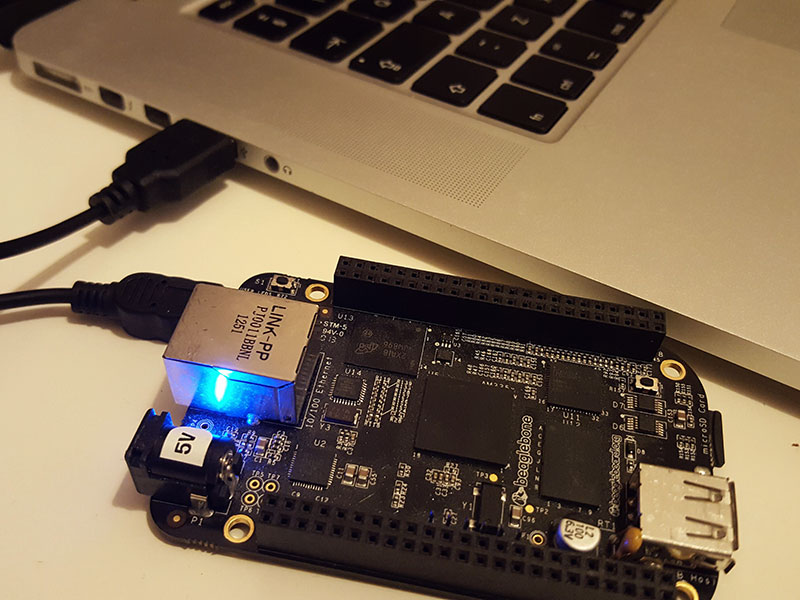
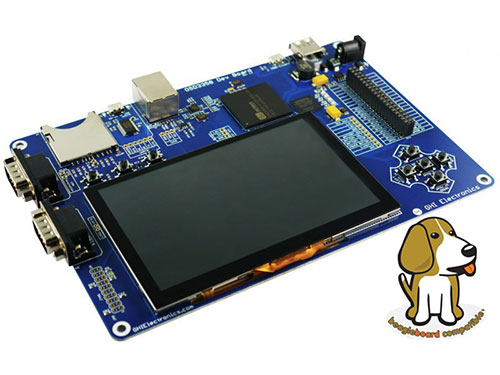
 Despite its age, USB-B type sockets are still sometimes in use in development boards and larger devices, such as printers.
The next version, USB 2.0, introduced a major speed increase with the new Hi-Speed USB mode that supported transfer rates of up to 480 Mbit/s, which made USB practical for larger storage devices, like external HDDs. Although not part of the standard, Mini-USB was also introduced around 2000. USB On-The-Go (USB OTG) was also added during the 2.0 era in 2001. It allows certain devices, mainly phones and tablets, to switch roles and act as either a USB host or a peripheral. Before OTG, USB was much more strictly divided between host devices and client/peripheral devices.
USB 3.0 was released in 2008, and it introduced SuperSpeed USB, which increased the maximum transfer rate to 5 Gbit/s, making USB much more suitable for larger file transfers to and from external storage media. This version also adds additional data transfer lines, increases clock speeds, and defines new transfer modes to facilitate the higher data rates. Despite these changes, USB 3.0 remains backward compatible with earlier versions.
USB 3.1 was released in 2013 and further increased the maximum transfer rate to 10 Gbit/s through the introduction of SuperSpeed+ mode. In addition to doubling the bandwidth of USB 3.0, the standard defines more efficient data encoding methods, reducing communication overhead and improving overall transfer efficiency. USB-C was also introduced during the 3.1 era, and this version of the standard improved support for alternative operating modes and advanced power delivery features, allowing compatible USB-C connections to carry additional data, such as video signals, alongside normal USB data.
2017 saw the introduction of the next version, USB 3.2, which further increased the maximum transfer rate by introducing multi-lane operations over USB-C. Depending on the configuration, USB 3.2 supports transfer rates of up to 20 Gbit/s by using two high-speed data lanes simultaneously.
The most recent version of the standard, USB4, was revealed in 2019, and it represented a major redesign of the architecture. The newest standard is based partly on Thunderbolt 3, and it drastically boosts the maximum transfer speed to 40 Gbit/s. Unlike earlier versions, USB4 required the use of USB-C connectors and cables, and it focused much more strongly on protocol tunneling, which allows USB connections to carry multiple types of data simultaneously. This enables features such as high-resolution external displays, external GPUs, and high-speed docking stations over a single cable. However, some capabilities depend on the exact implementation, meaning that not every USB4 device supports every optional feature or the maximum transfer rate.
USB Power Delivery and PPS
Originally, USB was designed to provide only small amounts of power at 5 V for conventional computer peripherals over the same cable used for data transfer. However, this approach posed a problem for devices that needed more power, so many of them required external power supplies in addition to a USB connection. This limitation became increasingly noticeable as mobile devices grew more powerful and users’ charging rate expectations changed.
USB Power Delivery (USB PD) is a power delivery specification that was introduced to address these problems. It allows devices to negotiate higher power levels for fast charging and powering larger devices, such as laptop computers. Instead of relying on fixed power delivery limits, devices and power supplies can negotiate voltage and current levels dynamically based on factors such as battery charge level, current system load, and temperature. This approach helps reduce thermal and electrical losses while improving the interoperability between chargers and devices that support compatible USB PD profiles.
USB PD is strongly associated with USB-C, and modern implementations typically rely on USB-C connectors. However, USB PD is technically separate from both USB data transfer versions and connector types. For example, a device may use USB 2.0 for data transfer while simultaneously using USB PD over a USB-C cable, although such combinations are uncommon.
As with the core USB standard, USB PD changed through multiple versions over the years. The first version was released in 2012, and it mainly added the ability for devices and power supplies to negotiate power limits using predefined power profiles. Version 2.0 added more flexible power negotiation in 2014 and helped lay the foundation for widespread USB-C fast charging. In 2015, USB PD 3.0 further improved communication between devices and power supplies. Later revisions added USB PPS (Programmable Power Supply), which allows devices to request voltage and current levels in finer increments instead of relying solely on fixed power profiles. The newest major revision, USB PD 3.1, introduced in 2021, increased the maximum supported power output to 240 W, allowing USB-C to power larger and more demanding devices such as gaming laptops and monitors.
Common USB Misconceptions
Probably the biggest misconception that makers encounter is that the connector shape reliably indicates an interface's capabilities. Connector specifications are separate from the USB protocol standard itself, meaning that the connector only guarantees a physical fit, not identical features or capabilities. The actual protocol or interface in use may not support fast transfer rates or additional features, such as video output or networking capabilities. Similarly, some USB ports are meant exclusively for charging, and USB PD or PPS support is not guaranteed. Likewise, some cheaper USB cables only contain power lines but no data transmission lines, which can lead to unnecessary troubleshooting.
 USB-C is the standard on many modern devices, especially smaller and mobile ones. However, not all USB-C sockets support the same features.
Some applications may further require active cables. In simple terms, active cables are USB cables with additional electronics or circuitry built into the cable or plug. These are commonly used in longer cable runs, where signal quality can degrade with distance. Built-in circuitry in active cables helps maintain reliable high-speed data transfer by maintaining signal quality. Specialized USB cables may include built-in conversion electronics, such as USB-to-UART adapters, audio conversion hardware, or USB-to-SATA bridge controllers. These cables are designed for specific applications and may not function as regular USB cables. In contrast, passive cables are simple copper wires without built-in circuitry. They are fine for shorter distances and lower transmission speeds.
Summary
USB greatly simplified connecting peripherals to computers by introducing standardized connectors, communication protocols, hot-swapping, and plug-and-play support. The primary goal of USB was to create a universal interface that reduced compatibility problems while simultaneously providing data transfer and power over a single cable. Over the years, the standard has evolved from the original USB-A and USB-B connectors to smaller Mini-USB and Micro-USB variants and, eventually, to the modern USB-C connector.
USB standards evolved alongside connector types, resulting in significantly faster transfer speeds and new functionality with each major revision. These improvements made USB suitable for increasingly demanding applications, such as external storage devices, docking stations, external displays, and high-speed peripheral communication.
USB Power Delivery and PPS further expanded the capabilities of USB by allowing devices and power supplies to negotiate voltage and current levels dynamically. This enables more efficient fast charging and the powering of larger devices. More recent USB PD revisions allow devices to request voltage and current levels more precisely through PPS.
Unfortunately, USB-C can be confusing at times because the connector shape alone does not guarantee identical capabilities. Features such as high-speed data transfer, video output, networking support, and USB PD depend on the implementation, cable type, and supported standards.