Settings
 Fast Delivery
 Payment Types


 Marketplace Product

Mfr Part # ABX00173
ARDUINO UNO Q 4GB RAM 32GB EMMC
Arduino

License: Attribution-NonCommercial-ShareAlike Single Board Computers UNO Q Dream Lab 3D Printing Air Quality Environmental Arduino
Most air-quality monitors show you numbers. Atmosis tells you what they mean.
It reads nine environmental parameters, recognizes what kind of situation is forming in the room with an Edge Impulse model running on the board, and explains it in plain language with Google Gemini. When something needs attention, it lets you know on a local dashboard and through Telegram. Its safety alarms keep working even without the Internet.
Atmosis is built around the Arduino UNO Q and uses both of its processors: the STM32U585 microcontroller for real-time sensing and safety, and the Qualcomm QRB2210 Linux system for machine learning, the dashboard, and AI. Arduino App Lab brings the two together as a single app.
Board: Arduino UNO Q (STM32U585 + Qualcomm QRB2210)
Development: Arduino App Lab, with an Arduino sketch and a Python app in one project
Sensing: 3 sensors, 9 parameters: IAQ, TVOC, HCHO, CO, temperature, humidity, PM2.5, pressure, and altitude
Edge AI: Edge Impulse classifier running on the board, 93.1% validation accuracy
Generative AI: Google Gemini 3.5 Flash advisor, called only when the air needs attention
Outputs: WS2812B status light, local web dashboard, and Telegram alerts
Source code: github.com/NextBuilder/Atmosis
An air-quality reading on its own rarely answers the questions people actually have. Is the air getting worse? Is it dust from outside, or is the room just stuffy? Should I open a window or turn on a purifier? The numbers are there, but the meaning isn't.
Atmosis looks at how the readings change together instead of judging each one in isolation. A rise in PM2.5 with steady gas readings points to something different than rising VOCs in a closed room. By combining on-device machine learning with a language model that only sees processed data, Atmosis turns a stream of numbers into a short, useful answer: what is happening, and what to do about it.
This project needs two very different kinds of computing, and the UNO Q provides both on one board:
Real-time work on the STM32U585. Sensor timing, the air score, the status light, and the PM2.5 and CO alarms need predictable timing and must never stop. They run on the microcontroller in a non-blocking loop.
Heavier work on the QRB2210. Edge Impulse inference, measurement history, the web dashboard, Telegram, and Gemini need Linux, Python, and a network. They run on the application processor.
One project in App Lab. App Lab builds, deploys, and runs the sketch and the Python app together, and the Arduino Router Bridge connects them.
Because the safety logic lives on the microcontroller, Atmosis keeps monitoring and keeps its alarms working even if the Linux app or the Internet goes down.
1 × Arduino UNO Q (ABX00162): main board
1 × Waveshare Environment X6: IAQ, TVOC, HCHO, CO, temperature, and humidity over UART
1 × Waveshare Dust Sensor (Sharp GP2Y1010): PM2.5 over an analog output
1 × DPS310 pressure sensor (Adafruit 4494): pressure and altitude over I²C
1 × Waveshare RGB COB LED strip (WS2812B): status light
4 × JST connector cables
1 × 3D-printed enclosure (Housing.stl and Cover.stl on GitHub)
Tools: soldering iron, solder wire, pliers, and a 3D printer.
Atmosis follows one simple flow: Sense → Understand → Interpret → Respond. Data moves in one direction, from the sensors to the microcontroller, to Linux, and then to the user.
Sense: the STM32U585 reads the three sensors, calculates the air score, drives the status light, and handles alarms.
Understand: once per second, a data frame goes to Linux over the Router Bridge, where Edge Impulse classifies a rolling window of the nine readings.
Interpret: when the air needs attention, Gemini turns the processed state into a short recommendation.
Respond: the result appears on the dashboard and is sent to Telegram.
I designed the enclosure from scratch in Autodesk Fusion 360 around the real hardware. Each sensor sits behind its own cut-out for airflow, and the mounting points and snap-fit lid are built into the design, so no glue is needed.
I printed it in grey PLA with orange PLA for the text and logo. The STL files are in the CAD Design folder of the GitHub repository.
Dust sensor. Connect its cable, place it in the mount inside the housing, and fix it with the screw.
Environment X6. Mount it in its position and keep the sensing area clear so room air can reach it.
DPS310. Fit it into the opening on the top cover so it has direct access to room air.
The X6, dust sensor, and LED strip run on 5V, and the DPS310 runs on 3.3V.
Waveshare X6: VCC → 5V, GND → GND, TXD → D0, RXD → D1
Dust sensor: VCC → 5V, GND → GND, ILED → D4, AOUT → A0
DPS310: VCC → 3.3V, GND → GND, SDA → SDA, SCL → SCL
RGB LED strip: DIN → D5, VCC → 5V, GND → GND
For a tidy build, connect all the JST cables to the UNO Q first, then to the sensors. The X6 uses the hardware Serial1 port on D0 and D1, and the dust module has a voltage divider on its output, which the firmware corrects in software.
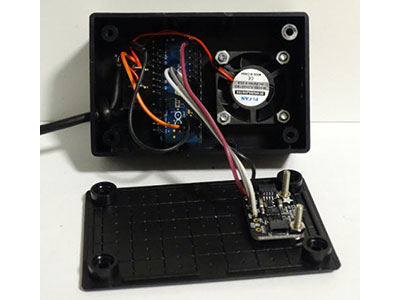
UNO Q. Place the board in the housing, route the wires around it, and fix it with the mounting screws.
LED strip. Cut the length you need and stick it to a flat surface inside the enclosure.
Close it up. Line up the snap-fit tabs and press the cover down until all the clips lock.
The complete project is on GitHub: https://github.com/NextBuilder/Atmosis
The Atmosis App Lab project has two halves that run together:
Firmware on the STM32U585 (Arduino on Zephyr): sketch.ino, sensors.h, air_score.h, status_led.h and config.h
Linux app on the QRB2210 (Python): main.py, atmosis_ei.py, ai_advisor.py, atmosis_notify.py and atmosis-dashboard.html
The firmware never waits for a sensor. Each pass of loop() gives every driver a short turn and sends a frame on a steady one-second schedule. A slow or unplugged sensor can't freeze the board, and the timing stays correct even when millis() wraps around after about 49 days.
sketch/sketch.ino: loop()
void loop() {
  const uint32_t now = millis();
  trackLoopTime(now);

  statusLed.update(now);
  x6Sensor.poll(now);
  lastX6 = x6Sensor.reading(now);
  dustSensor.poll(now);
  pressureSensor.update(now);

  DustReading dust;
  if (dustSensor.consume(dust)) {
    lastDust = dust;
    if (dust.valid) {
      if (dust.density_ugm3 >= DUST_ALERT_UGM3) dustAlarm = true;
      else if (dust.density_ugm3 <= DUST_ALERT_CLEAR_UGM3) dustAlarm = false;
    }
  }

  if ((int32_t)(now - nextFrameMs) >= 0) {
    nextFrameMs += FRAME_INTERVAL_MS;
    if ((int32_t)(now - nextFrameMs) >= 0) nextFrameMs = now + FRAME_INTERVAL_MS;
    updateAlarmsAndLight();
    pushFrame(now);
  }

  if ((int32_t)(now - nextInfoMs) >= 0) {
    nextInfoMs = now + INFO_INTERVAL_MS;
    pushInfo();
  }

  delay(LOOP_YIELD_MS);
}
Each driver is built to fail safely. The X6 driver accepts a frame only if its checksum and ranges are valid. The dust sensor is sampled exactly 280 µs after its LED turns on, with a trimmed mean to remove spikes. The DPS310 is detected again automatically if it's unplugged. Stale or invalid data is always marked as such and never shown as a live reading.
Each pollutant gets a sub-score from 100 to 0 using breakpoints based on WHO and US EPA indoor guidance. The overall score is the lowest sub-score because the air is only as good as its worst pollutant. Once per frame, the firmware updates the CO alarm, turns the score into a color, and sends both to the LED strip.
sketch/sketch.ino: updateAlarmsAndLight()
void updateAlarmsAndLight() {
  if (lastX6.valid) {
    if (lastX6.co_ppm >= CO_ALERT_PPM) coAlarm = true;
    else if (lastX6.co_ppm <= CO_ALERT_CLEAR_PPM) coAlarm = false;
  }
  statusLed.setAlarm(dustAlarm || coAlarm);
  const int score = airScore(lastX6.valid, lastX6.iaq, lastX6.tvoc_ppm, lastX6.hcho_ppm,
                             lastX6.co_ppm, lastDust.valid, lastDust.density_ugm3);
  uint8_t r, g, b;
  scoreColor(score, r, g, b);
  statusLed.setColor(r, g, b);
}
The dust and CO alarms use hysteresis (on at 150 µg/m³ and 9 ppm, off at 130 µg/m³ and 8 ppm), so they don't flicker around the threshold. All of this runs on the microcontroller, so the light and alarms keep working without Linux or the network.
Once per second, the board sends every reading to Linux in a single Bridge.notify call. The link is intentionally one-way. Earlier versions that also sent commands back to the board lost the connection after a few minutes, and removing that direction made the real-time side fully self-sufficient.
sketch/sketch.ino: pushFrame()
Bridge.notify("atmosis_frame",
  (int)FRAME_PROTOCOL, (int)(++frameSeq), (int)(now / 1000UL), statusFlags(),
  lastX6.iaq, lastX6.tvoc_ppm, lastX6.hcho_ppm, lastX6.co_ppm,
  lastX6.temperature_c, lastX6.humidity_pct,
  lastDust.density_ugm3, (int)(lastDust.sensor_v * 1000.0f + 0.5f),
  (int)DUST_ZERO_MV, (int)lastDust.status,
  p.pressure_hpa, p.altitude_m, p.temperature_c,
  pressureChipCode(), (int)loopMaxReported);
The Python app validates every frame before using it: field count, protocol version, NaN or infinite values, and sensor ranges. It detects lost frames from sequence gaps, and board restarts from a falling uptime. If no frame arrives for 3.5 seconds, the dashboard shows the link as offline instead of freezing the last values. For every valid frame, the app scores the reading, runs the classifier, and then decides whether anything needs attention.
Fixed thresholds can tell you that one value is high. A model trained on your own sensors can recognize what kind of situation is forming. I trained Atmosis on data recorded with the same hardware, using all nine readings together.
A separate data-collection sketch (in the Data Collection Code folder on GitHub) prints the nine readings as comma-separated values. The Edge Impulse Data Forwarder streams them straight into Edge Impulse Studio, where each 10-second recording is labelled.
I defined seven labels for the long-term dataset: Clean_air, Traffic_pollution, Construction_dust, Indoor_pollution, Poor_ventilation, Biomass_burning and Unusual_event. The current model is trained on the three classes with the most real recordings so far: Clean_air, Indoor_pollution and Poor_ventilation. Every sample comes from a real, safe situation; nothing was staged with smoke or fire.
Window / stride / frequency: 3,000 ms / 1,000 ms / 5 Hz
Processing block: Raw Data (all 9 axes, no normalization)
Network: 135 inputs → Dense 20 → Dense 10 → 3 classes
Training: 30 cycles, learning rate 0.0005
Deployment: C++ library, EON Compiler, quantized (int8), target Arduino UNO Q
The model reached 93.1% validation accuracy with a loss of 0.31. Clean_air and Poor_ventilation were classified correctly every time, and Indoor_pollution 83.3% of the time, with F1 scores of 0.93, 0.91, and 0.95. It's an early result on a growing dataset, and more recordings for each condition will make it stronger.
Instead of compiling the C++ library, the app reads the exported EON model files directly and runs the network in plain Python on the Cortex-A53. The axis order, window size, labels, and int8 weights all come from the export, so a retrained model is a drop-in update. The app also refuses a model whose axis order doesn't match.
python/atmosis_ei.py
def forward(self, x):
    for layer in self._layers:
        if layer["type"] == "dense":
            act = layer["act"]
            x = [_activate(sum(w * v for w, v in zip(row, x)) + b, act)
                 for row, b in zip(layer["w"], layer["b"])]
        elif layer["type"] == "softmax":
            m = max(x)
            e = [math.exp(v - m) for v in x]
            s = sum(e)
            x = [v / s for v in e]
    return x

def classify(self, features):
    if len(features) != self.feature_count:
        raise AtmosisInferenceError(f"expected {self.feature_count} features, got {len(features)}")
    probs = self.forward(self.prepare(features))
    best = max(range(len(probs)), key=lambda i: probs[i])
    return Classification(label=self.labels[best], confidence=probs[best], ...)
To keep the output trustworthy, a new label must win three windows in a row and then hold for 60 seconds before an alert goes out, and pattern alerts are limited to one every 30 minutes. At startup, the model is checked against four reference situations; if it's missing or fails, Atmosis falls back to a threshold-based pattern engine.
Gemini doesn't take measurements or make safety decisions. Its job is to explain what the device has already found, in language anyone can understand. It's only called when the advice is useful: when the score drops below 60, a CO or dust alarm is active, or Edge Impulse detects pollution or poor ventilation.
python/main.py: scheduleadvisory()
rank  = BAND_RANK[score_band(score, True)]
first = self._advised_rank is None
worse = (not first and rank > self._advised_rank
         and (now - self._adv_at) >= self.cfg.AI_ESCALATE_GAP_S)
stale = not first and (now - self._adv_at) >= self.cfg.AI_AUTO_INTERVAL_S
if first or worse or stale:
    self._advised_rank = rank
    self._adv_at = now
    self.advisory["pending"] = True
    ctx = self.advisory_context()
    ctx["previous"] = self.advisory["text"] if not first else ""
    self._submit("advisory", ctx)
First: advice is written as soon as the air needs attention.
Worse: it's refreshed if the air moves into a worse band, at most once every 5 minutes.
Stale: otherwise, it's refreshed after 30 minutes. When the air is healthy, no request is made.
The prompt contains only processed data: the score, the live readings, the detected pattern, and a privacy-safe sensitivity level. Personal sensitivity details stay on the UNO Q. The system instruction keeps replies short, calm, and practical:
python/ai_advisor.py
SYSTEM_PROMPT = (
    "You are Atmosis, the calm indoor-air advisor inside a home "
    "air-quality monitor in India. "
    "Speak plainly to a non-expert. Use only the live readings given. "
    "Reply in 2 to 4 short sentences, then one line that starts with "
    "'Do this:' giving one practical action. No markdown, "
    "no lists, no diagnosis, no mention of medical conditions."
)
Replies that repeat the current advice are filtered out. Requests have a fixed time budget, temporary errors are retried, and after a failure the advisor backs off from 30 seconds up to 5 minutes. You can also ask Gemini questions about the current conditions directly from the dashboard.
A Flask server on port 7000 serves the dashboard: a single HTML page with an iOS-inspired design and light and dark themes. It updates every second and shows the air score, all nine readings with trends, the detected air pattern, sensor status, and the Gemini advisor.
When something needs attention, Atmosis sends a Telegram card with the score, the readings, the detected condition, one clear action, and a short Gemini tip. If Telegram rejects the formatting, the message is sent again as plain text, so an alert is never lost.
Print the enclosure, then assemble and wire the hardware as shown above.
Install Arduino App Lab and connect the UNO Q with a USB-C data cable.
Download the project from GitHub and import it with Import App in App Lab.
Get a Gemini API key from Google AI Studio, and create a Telegram bot with @BotFather to get a bot token and chat ID.
Add GEMINI_API_KEY, TELEGRAM_BOT_TOKEN and TELEGRAM_CHAT_ID to python/.env. Leaving a key empty simply turns that feature off.
Click Run in App Lab and open http://localhost:7000.
To train your own model, upload the data-collection sketch, connect it with edge-impulse-data-forwarder, record labelled samples and deploy the result as a C++ library. Copy the exported files into python/model/ and restart the app.
The firmware logic (sensor drivers, air score, dust conversion, altitude and alarm hysteresis) is checked with a PC-based simulator and cross-compiled for the STM32U585. The Python app has 64 automated tests covering frame parsing, air-score agreement with the firmware, the Edge Impulse loader, smoothing, advisor scheduling, and Telegram formatting. On the device, a short incense stick at a safe distance is enough to see PM2.5 rise, the score fall, the light change, and the advice update.
Building Atmosis was mostly about turning raw measurements into a decision you can trust. The STM32U585 handles the time-critical work and safety logic, the Linux side adds history and machine learning, Edge Impulse recognises patterns over time, and Gemini explains the result in plain language. The Arduino UNO Q and App Lab made it possible to build all of that as one device and one project.
Instead of only asking “What is the value?”, Atmosis asks “What is changing, what does it mean, and does it need a response?” That's what Atmosis means to me: not just environmental monitoring, but environmental intelligence.
Source code, CAD files, and circuit diagram: https://github.com/NextBuilder/Atmosis
#UNOQDreamLab