Settings
 Fast Delivery
 Payment Types


 Marketplace Product

M5StickC-ESP32 Mini PIR Alarm System
License: GNU Lesser General Public License Bluetooth / BLE Microcontrollers Wifi Arduino ESP32
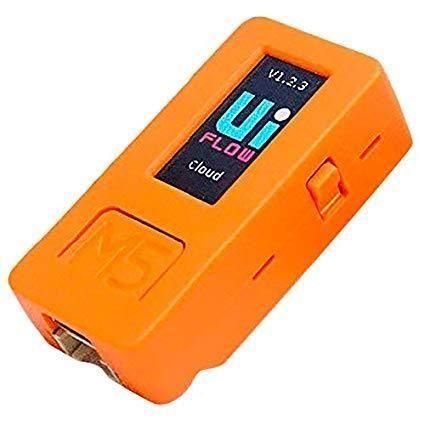
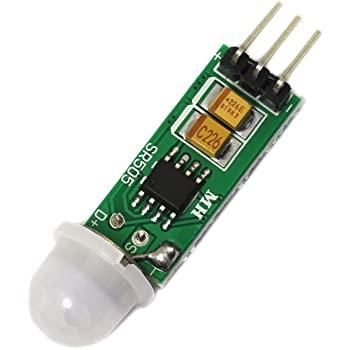
We will learn how to make a mini alarm warning using a mini PIR sensor and an M5StickC ESP32 board.
Watch the video!
Learn more about Visuino: What is Visuino
What You Will Need
Visuino software: Download Visuino here: https://www.visuino.eu
The Circuit
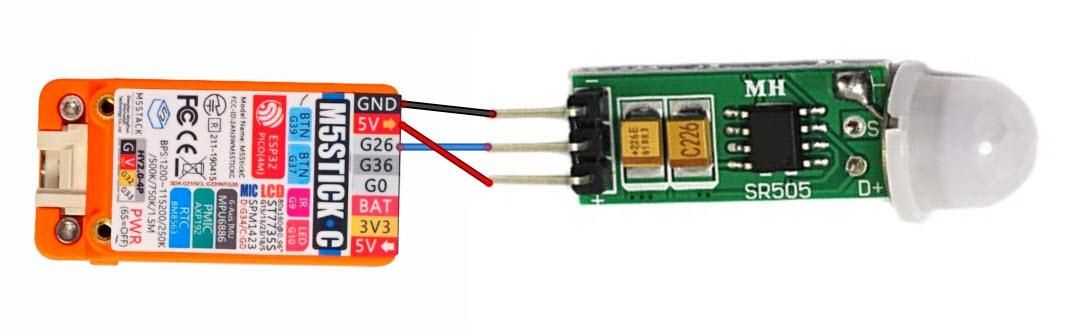
Connect StickC pin 5V to PIR sensor pin VCC (+)
Connect StickC pin GND to PIR sensor pin GND (-)
Connect StickC pin G26 to PIR sensor pin Out
Start Visuino, and Select the M5 Stack Stick C Board Type
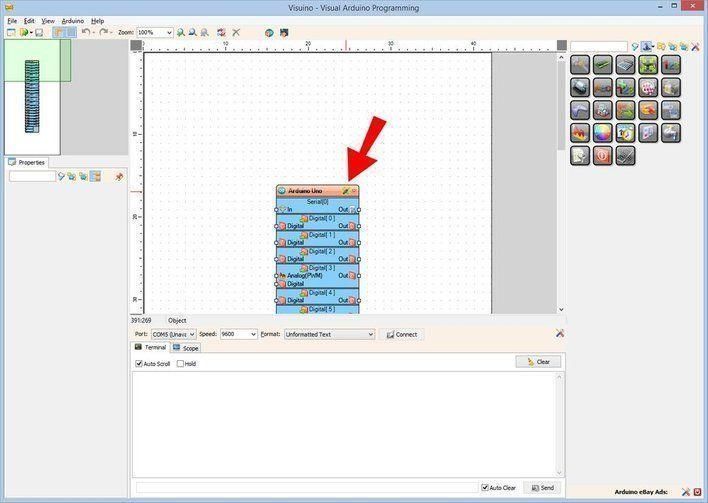
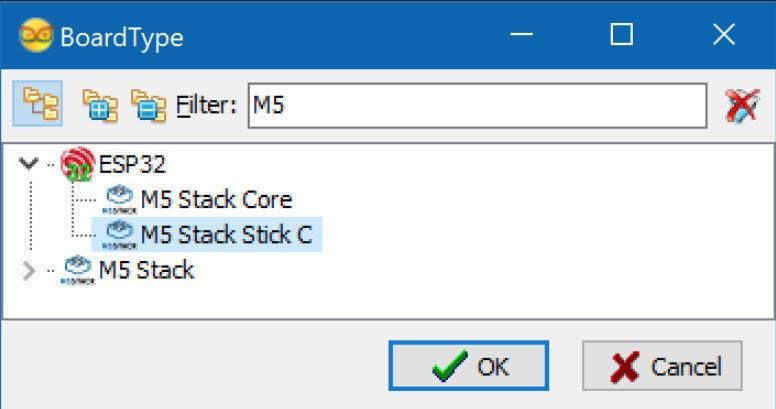
Start Visuino as shown in the first picture. Click on the "Tools" button on the Arduino component (Picture 1) in Visuino. When the dialog appears, select "M5 Stack Stick C" as shown in Picture 2
Step 4
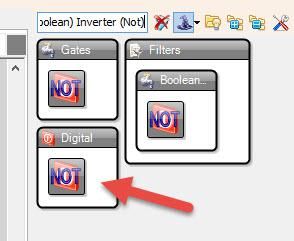
Add "Digital (Boolean) Inverter (Not)" component
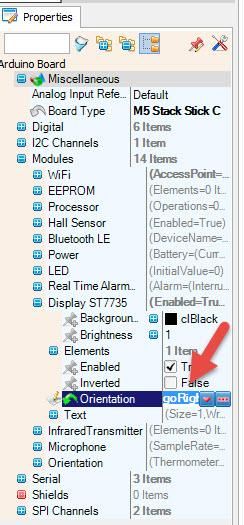
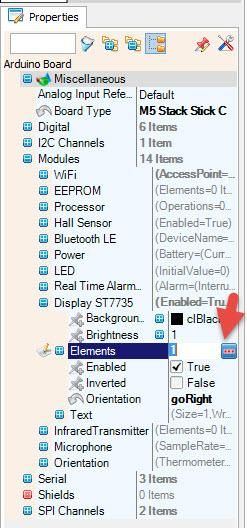
Select "M5 Stack Stick C" board and in the properties window expand Modules>Display ST7735 and:
set Orientation to goRight
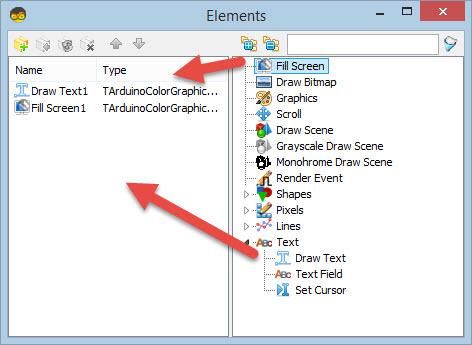
Select Elements and click on the 3 dots button and in the elements window
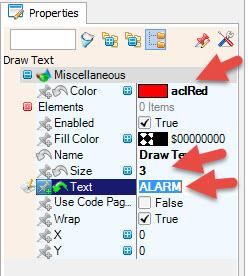
drag "Draw Field" to the left and in the properties window set size to 3 and Text to "ALARM", Color to aclRed
drag "Fill Screen" to the left
Close the Elements window
In Visuino Connect Components
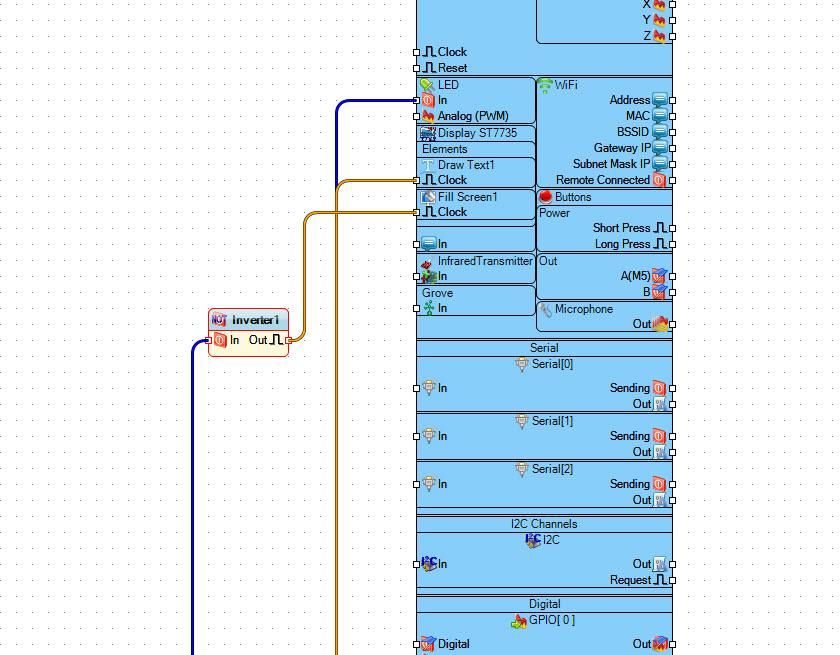
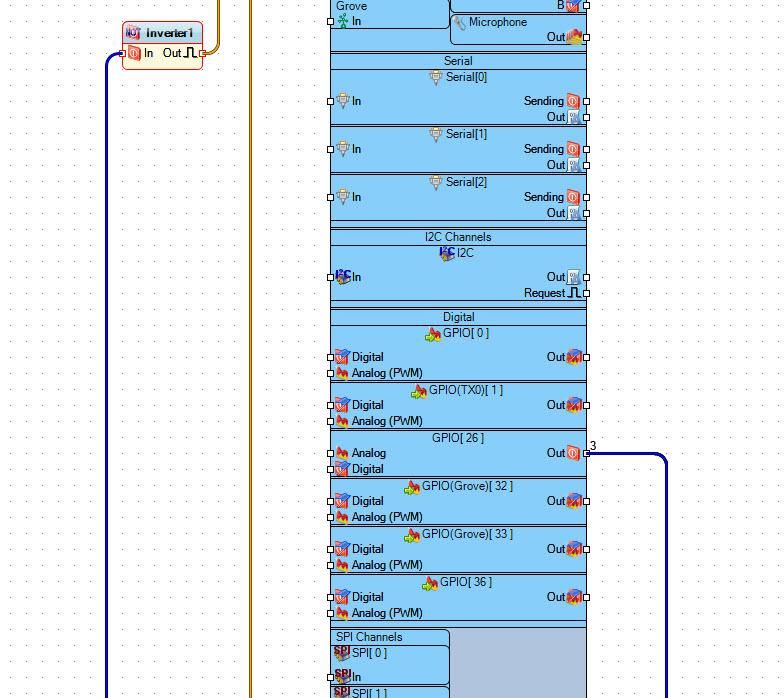
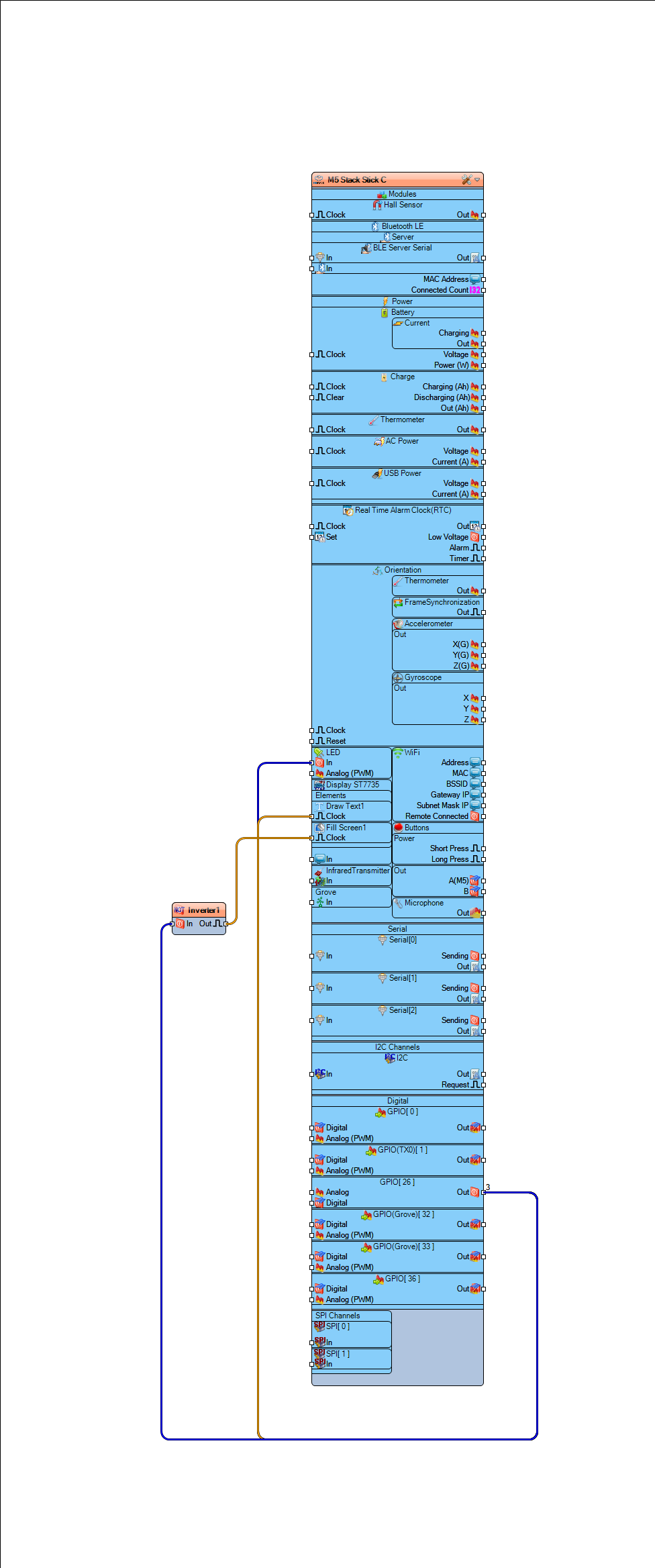
Connect "M5 Stack Stick C" pin GPPIO26 Out to "M5 Stack Stick C" > LED pin In
Connect "M5 Stack Stick C" pin GPPIO26 Out to "M5 Stack Stick C" > "Draw Text1" pin Clock
Connect "Inverter1" pin Out to "M5 Stack Stick C" > "Fill Screen1" pin Clock
Generate, Compile, and Upload the Code
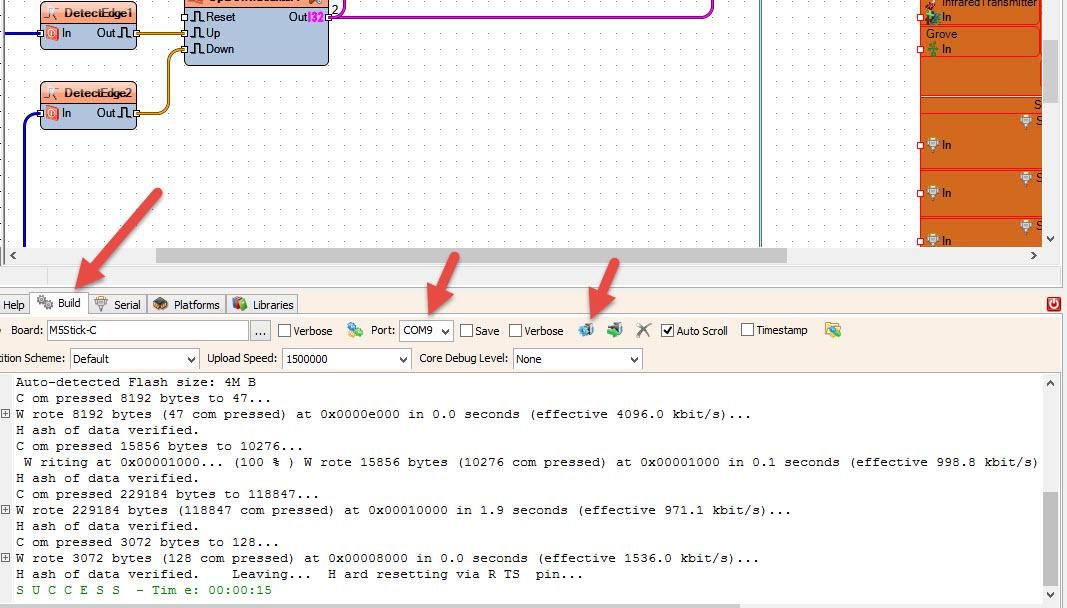
In Visuino, at the bottom, click on the "Build" tab, make sure the correct port is selected, then click on the "Compile/Build and Upload" button.
Play
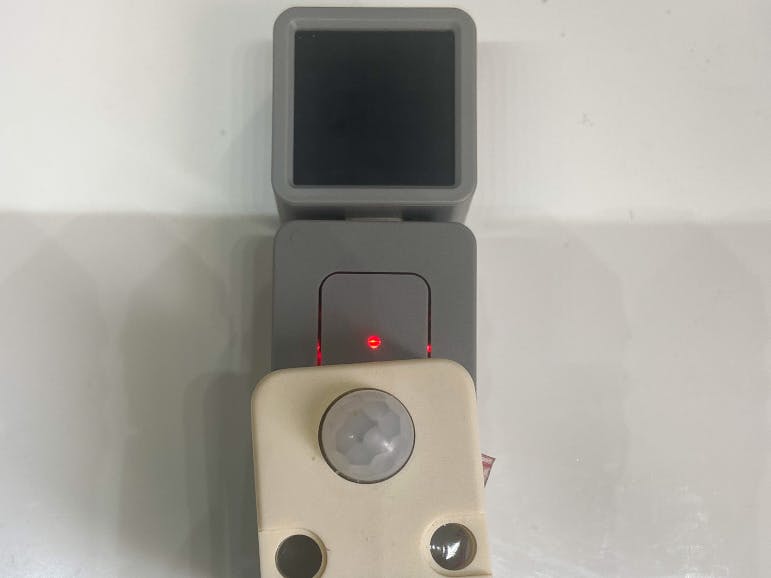
If you power the M5StickC module, the PIR sensor will activate the movement by flashing the internal LED and displaying the text "ALARM" on the display.
Congratulations! You have completed your project with Visuino. Also attached is the Visuino project that I created for this; you can download it and open it in Visuino: https://www.visuino.eu